

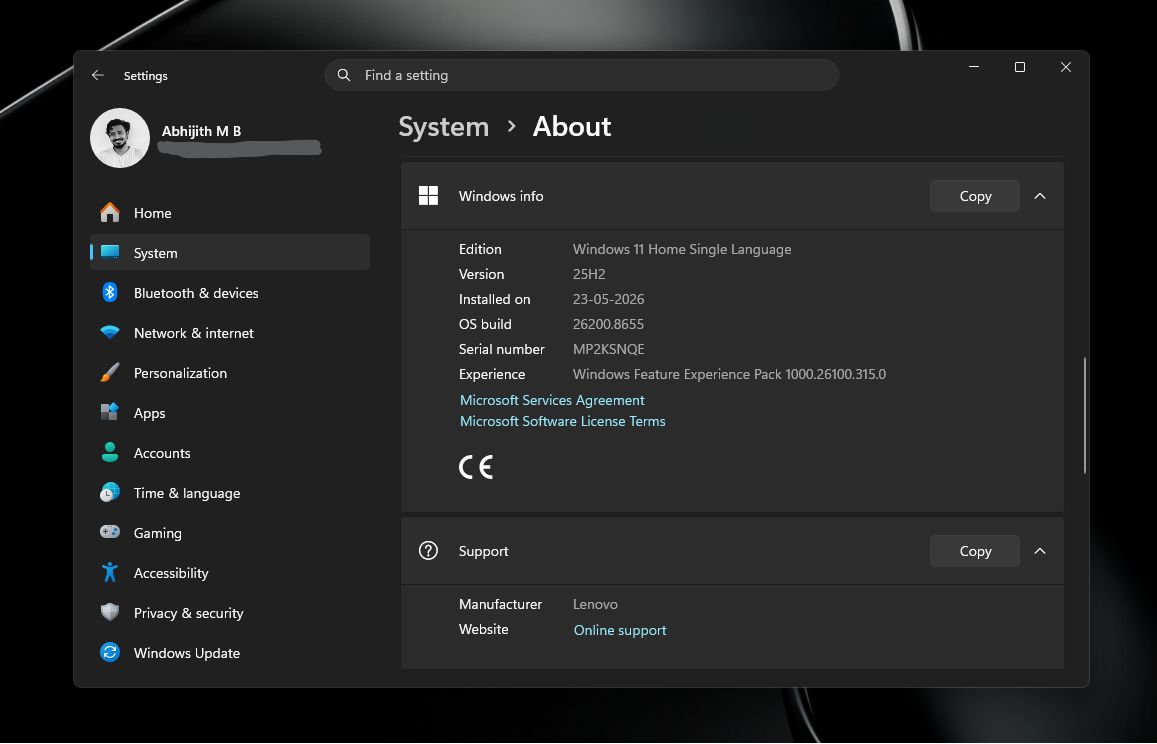
Microsoft’s latest move on the Windows 11 update rollout has tech circles buzzing. The company has quietly updated its Windows 11 release health page to confirm that the **25H2** build is now being force‑installed on every eligible **Home** and **Pro** PC that isn’t managed by an IT department. The push comes just months before the officially announced **26H2** release this fall, and with consumer support for **24H2** ending in October 2026, the timing feels deliberate.
What’s Happening Behind the Scenes?
Unlike the usual phased rollout, Microsoft has rolled out **25H2** to all consumer devices in a single sweep. The update includes a suite of new features, performance tweaks, and security improvements. Because the rollout is automatic, users may notice a sudden jump in version numbers and a brief restart window.
Key Features in 25H2
- Enhanced Virtual Desktops – Custom wallpapers per desktop and improved taskbar integration.
- Windows Copilot Refresh – More AI‑powered shortcuts and contextual help.
- Security Boosts – Updated Windows Defender policies and tighter firmware protection.
- Performance Enhancements – Faster boot times and reduced background memory usage.
Why Microsoft Is Going Full‑Force
Microsoft’s rationale is twofold. First, the company wants to ensure that every consumer device is on a build that receives the latest security patches, especially as the 24H2 support window closes. Second, the company is preparing the ecosystem for the upcoming **26H2** release, which promises deeper AI integration and a new “Windows 11 as a Service” model. By standardizing on **25H2** now, Microsoft reduces fragmentation and simplifies future updates.
Will Users Feel the Pain?
Most users will experience a short, painless download and install cycle. Windows Update will notify you of the new build, and the system will schedule a restart during a convenient window. If you’re actively using your PC, the update will run in the background and finish before you return.
What to Do If You’re Concerned
- Check Update Status – Go to Settings → Windows Update to see the current build.
- Pause Updates – If you have critical work, pause for a day or two.
- Backup Important Data – Always a good practice before any major OS change.
Impact on Businesses and IT Departments
For organizations, the automatic rollout could pose compliance challenges. IT admins will need to re‑evaluate their update policies and ensure that their devices stay compliant with corporate security standards. Microsoft is offering tools for IT to manage user consent and schedule restarts, but the default behavior remains aggressive.
Future Outlook
With **26H2** set for release this fall, Microsoft is building momentum toward a more AI‑centric Windows experience. The forced rollout of **25H2** signals that the company is ready to shift the entire user base onto a unified platform, paving the way for smoother feature rollouts and faster security patching.
Stay informed and keep your system updated. If you’re a Windows enthusiast or a corporate IT professional, understanding these changes now will save you headaches later. Keep reading, stay ahead, and enjoy the next generation of Windows. For more deep dives into Windows updates, subscribe to our newsletter and never miss a tech breakthrough.


💬 Comments
Comments
Post a Comment