

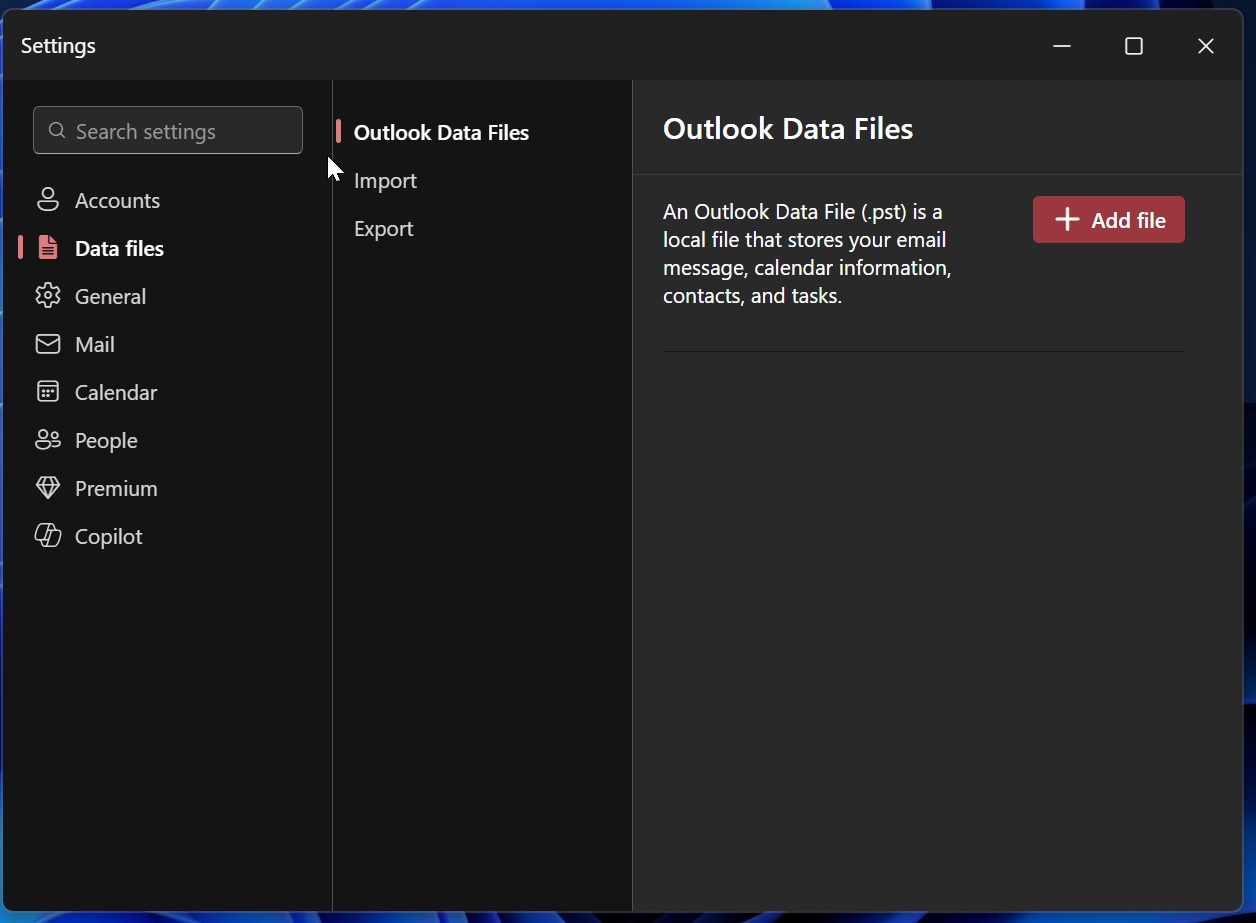
For years, Outlook users have campaigned for a return to the familiar navigation and file‑management tools that defined the classic desktop client. Microsoft’s latest release finally heeds that call, adding robust .PST support and a slew of other enhancements that blur the line between legacy and modern.
Why the Classic Outlook Love Persists
Power users and long‑time Microsoft customers have long felt that the new web‑centric Outlook feels less intuitive for heavy‑email workflows. The classic interface’s ability to handle large .PST files, quick folder navigation, and granular permission settings remains unmatched.
When the company announced the new feature set, the response across forums in the US, UK, and Canada was electric, with many praising the move toward a more flexible, user‑centric design.
New Outlook’s Big Leap: PST Support and More
At the core of this overhaul is .PST support, now fully integrated into the new Outlook experience. The update also brings:
- Advanced PST import/export tools that streamline data migration.
- Improved search capabilities with rapid indexing of archived mail.
- Enhanced folder organization that supports nested subfolders with ease.
- More granular access permissions for shared mailboxes.
- Seamless Windows 11 integration for a native look and feel.
These changes mean that users can now keep their large archives intact without resorting to third‑party utilities.
What This Means for Power Users
For professionals who juggle thousands of emails, the new Outlook offers tangible productivity gains:
- Faster load times for .PST files up to 50GB.
- One‑click backup and restore options.
- Direct access to Outlook’s classic ribbon toolbar, reducing the learning curve.
- Improved compatibility with legacy add‑ins and scripts.
In the competitive landscape of email clients, this positions Microsoft to reclaim users from rivals like Google Workspace and Apple Mail.
Getting Started with the Updated Outlook
Switching to the new Outlook is straightforward. Users can download the latest Windows installer from the official Microsoft portal or update via the Microsoft Store. The migration wizard automatically detects existing .PST files and offers to import them with minimal configuration.
IT administrators can deploy the update through Intune or Group Policy, ensuring a smooth rollout across corporate environments.
Future Outlook: Microsoft’s Commitment to User‑Centric Design
Microsoft’s press release highlighted a broader strategy: blend the reliability of classic features with the agility of cloud‑first services. The company will continue to refine the new Outlook by adding AI‑powered email triage, tighter integration with Teams, and expanded support for cross‑platform workflows.
For users across the US, UK, and Canada, the future looks promising—one where high‑performance email management meets modern usability.
Ready to experience the next generation of Outlook? Download the update today and rediscover the power of classic functionality in a modern package.


💬 Comments
Comments
Post a Comment