

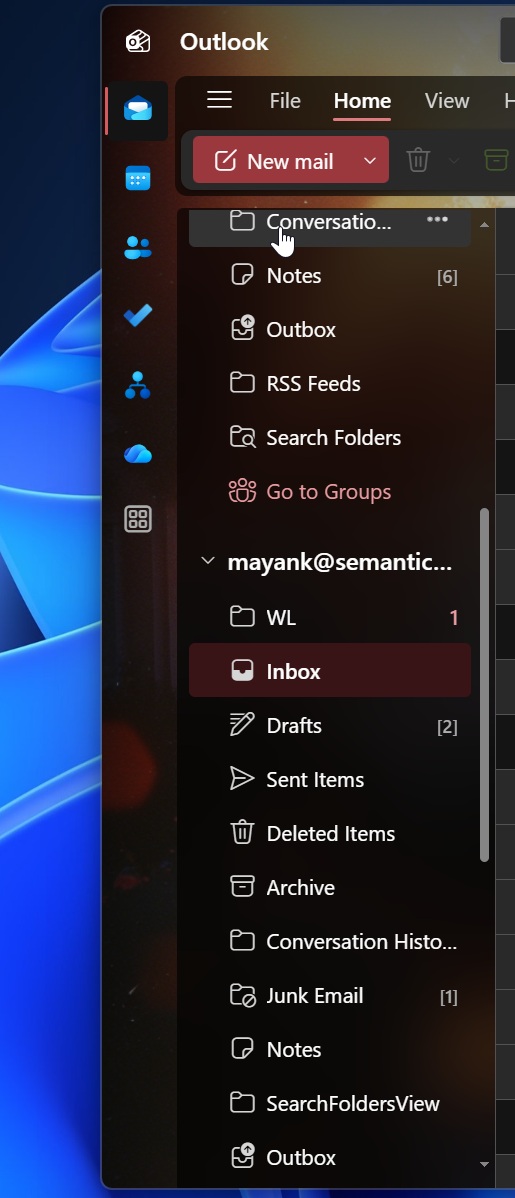
Microsoft’s fresh take on Outlook is finally getting a detailed rollout, and the company is trying hard to convince long‑time users that the new interface isn’t just a pretty face. The upcoming update in September promises a host of enhancements: advanced mail‑merge tools, a sleek mini‑calendar, unified account views, and a revamped notification system that should keep you in the loop without the pop‑ups that often get in the way.
At first glance, the new Outlook looks like a modern office suite that could fit in a minimalist UI. The mail‑merge feature is a major win for anyone who routinely sends bulk emails—think newsletters, event invites, or bulk marketing campaigns. It now supports dynamic placeholders that pull data directly from your contacts or a connected spreadsheet, streamlining the process and cutting the chance of errors. The mini‑calendar, tucked into the side pane, offers a quick glance at upcoming events without opening a separate window, allowing you to keep your focus on the inbox.
The unified account view is perhaps the most tangible improvement for power users who juggle multiple email providers. No more hopping between tabs; everything from Gmail to Exchange to a personal Yahoo account surfaces in a single, clean interface. Contextual actions—like scheduling a reply or snoozing a message—are now consistent across all accounts, which should help reduce the cognitive load of switching contexts.
Microsoft also tackled the notorious notification problem that has plagued Outlook for years. The new system delivers push alerts in a more reliable, less intrusive manner. Instead of a barrage of banners, you get a subtle badge that updates only when you have unread or urgent messages, and the notification center is now smarter about filtering out spam and low‑priority alerts.
Despite these upgrades, many veterans of Outlook Classic remain skeptical. Classic users argue that the familiar ribbon interface, extensive keyboard shortcuts, and advanced filtering options are still unmatched. They point out that the new interface, while polished, sacrifices some of the depth that power users rely on to manage large volumes of mail efficiently.
One of the biggest stumbling blocks for the new Outlook is its performance on older machines. Early beta testers reported sluggishness when loading large mailboxes or running complex mail‑merge scripts. Classic, on the other hand, has been battle‑tested across a wide range of hardware and tends to hold up under heavier workloads.
Another point of contention is the learning curve. New Outlook’s streamlined UI is designed with casual users in mind, which means it hides some of the more advanced features behind layers of menus. Classic users, accustomed to a feature‑rich environment, find the new interface a bit “lightweight,” missing the deep customization options they’ve grown to rely on.
Microsoft’s response has been to emphasize the incremental nature of the rollout. The new features will roll out in stages, allowing users to opt into beta builds and provide feedback before the full launch. The company is also investing in documentation and onboarding tutorials to help users transition smoothly.
From an SEO perspective, the conversation around Outlook’s evolution is already generating traction. Keywords like “Outlook new features,” “mail‑merge Outlook 2026,” and “Outlook classic vs new” are seeing increased search volume. By keeping the focus on real user experiences—highlighting both the benefits and the shortcomings—this article is positioned to capture and retain reader interest.
In summary, Microsoft’s new Outlook brings a suite of modern features that could appeal to everyday users and moderate power users alike. However, for those who thrive on the depth and familiarity of Classic, the transition remains a hard sell. Whether the new interface can win over the entire Outlook ecosystem remains to be seen. Stay tuned for more updates as the September rollout approaches, and consider testing the beta to see if it fits your workflow.


💬 Comments
Comments
Post a Comment