

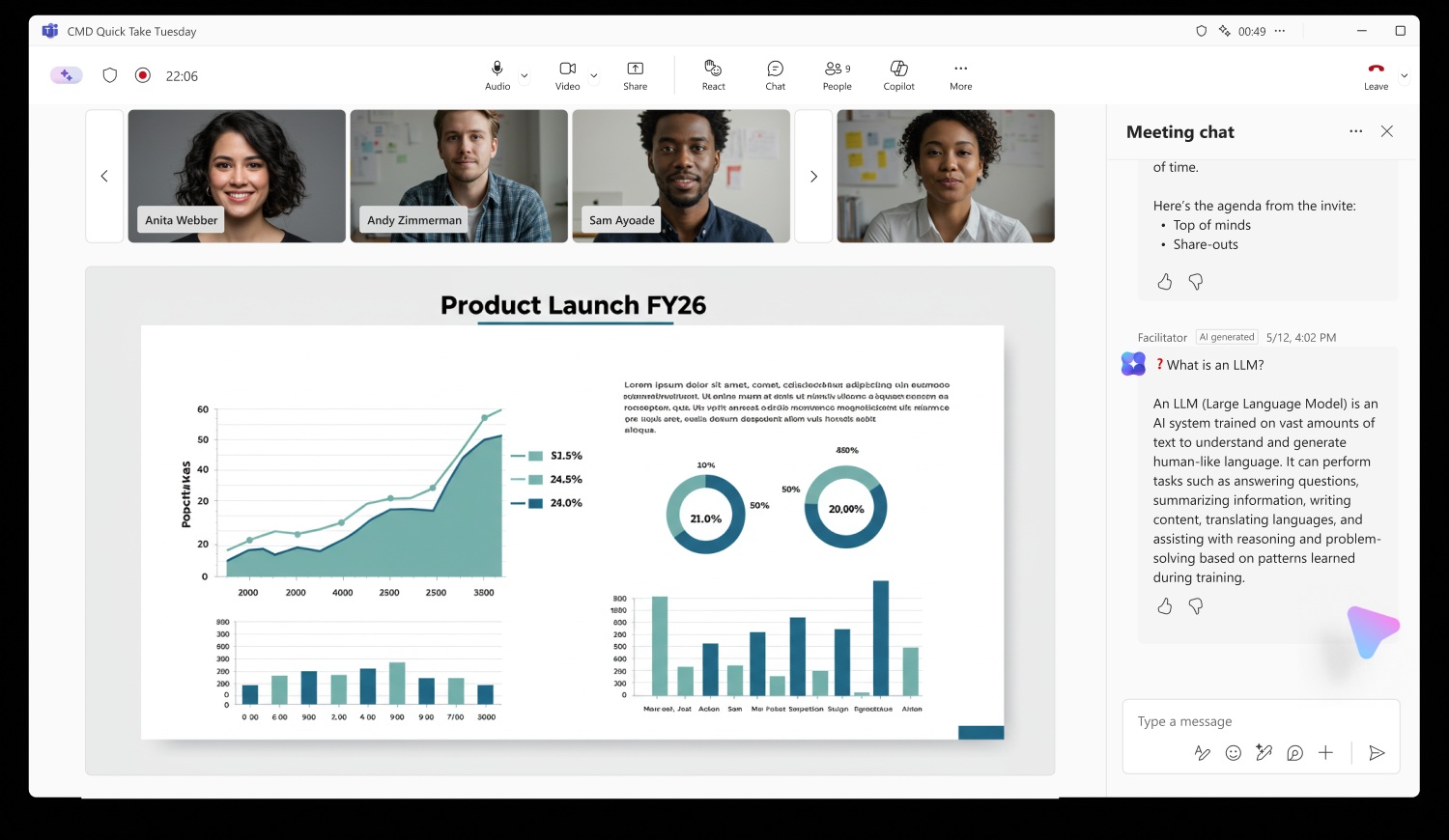
Microsoft has just rolled out a major update to **Microsoft Teams**, turning the platform into a truly AI‑powered collaboration hub. The new features go beyond simple voice transcription, offering real‑time notes, contextual chat overlays and tighter integration with the broader Microsoft ecosystem.
What the Update Brings
Here’s a quick look at the key additions that are already influencing how teams across North America and the UK collaborate.
- Live AI‑Generated Meeting Notes – Every conversation is transcribed instantly, with*(-)* highlights, action items and questions automatically flagged.
- Chat‑Section AI Overlays – When a meeting ends, the chat thread updates with a concise summary and suggested follow‑ups, so no one misses the next step.
- Contextual AI Assistance in Chat – Type a question and the AI pulls relevant documents, policy links or PowerPoint slides from your Teams channel.
- Auto‑Triggered Power Automate Flows – Based on the meeting transcript, workflows can send tasks to Planner, update SharePoint lists or trigger email reminders.
- Enhanced Privacy Controls – Admins can choose which data is stored, ensuring compliance with GDPR, CCPA and other regional regulations.
- Cross‑Platform Sync – The new AI features work seamlessly on desktop, web, and mobile, so the same insights appear whether you’re in a boardroom or on the go.
Why It Matters for Workflows
The biggest advantage of this rollout? Time‑saved and fewer miscommunications. When a meeting is automatically transcribed and summarized, teams can jump straight into action rather than hunting through minutes.
For managers in the US, UK and Canada, the integration with **Power Automate** means that routine follow‑ups—like creating a task in **Planner** or sending a **Teams** reminder—can happen with a single click. This reduces manual overhead and keeps projects moving forward.
Getting Started
To activate the new AI features, admins only need to toggle the setting in the **Teams Admin Center**. Once enabled:
- Invite participants as usual; the AI runs in the background.
- After the call, review the AI‑generated notes in the meeting details pane.
- Use the “Summarise Chat” button to pull a one‑page recap into the chat thread.
Training is minimal; users can explore the AI assistant by typing “Help me find the policy on remote work” and watching the bot pull the relevant document from the channel.
Future Outlook
Microsoft signals that this is just the beginning. Upcoming releases may bring predictive scheduling, sentiment analysis for team morale, and deeper integration with **Microsoft Viva**. For now, the AI‑powered meeting notes and chat overlays are already reshaping how organizations collaborate.
Ready to supercharge your team’s productivity? Upgrade to the latest **Microsoft Teams** version today and experience AI‑driven collaboration in real time. Stay ahead of the curve—your next meeting could be the most efficient one yet.


💬 Comments
Comments
Post a Comment