

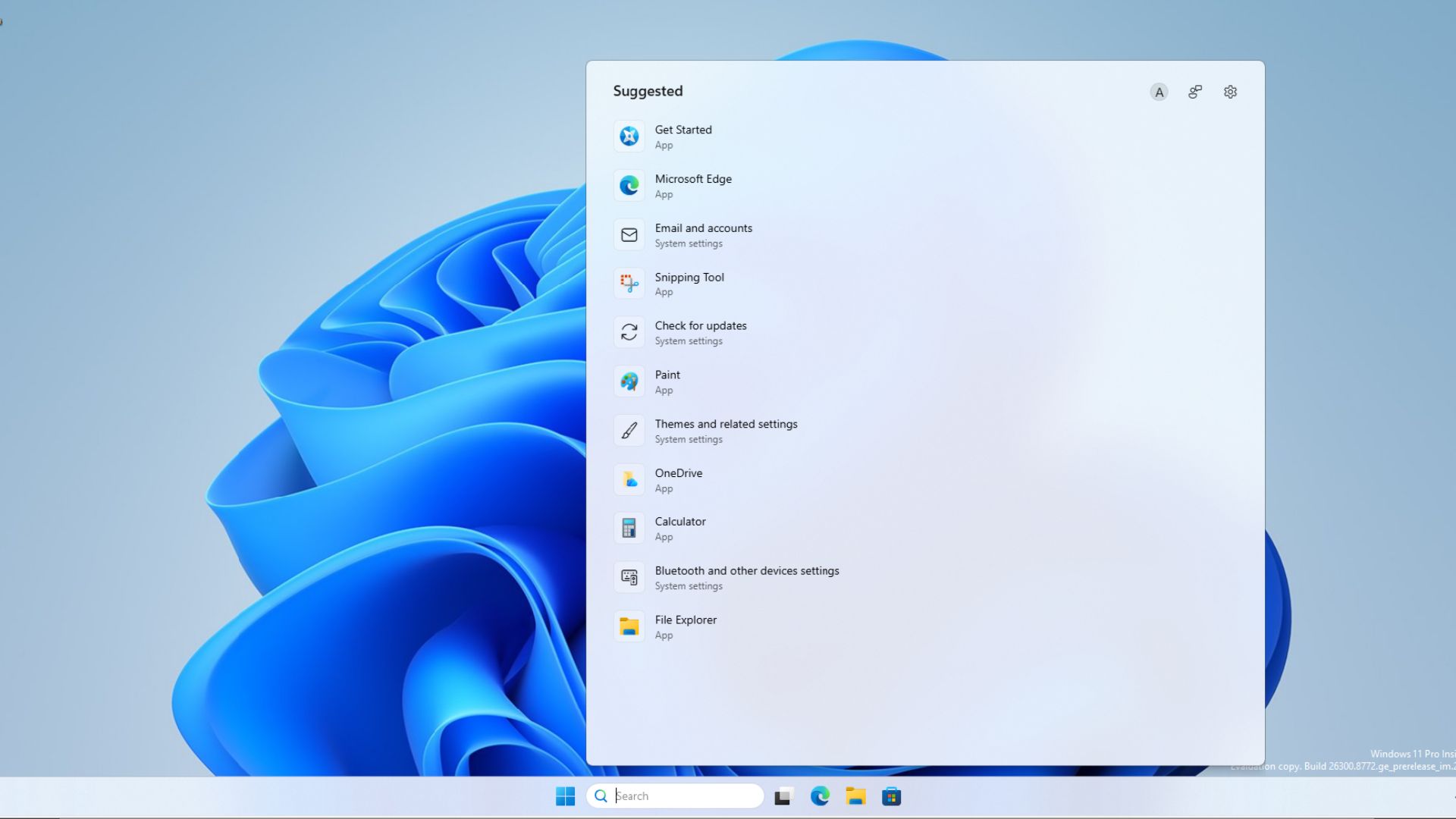
Microsoft has finally cleaned up the Windows 11 search bar after years of MSN tiles, ads, and trivia. The latest build, released to Insiders this week, brings a calmer interface, sharper result labels, and a new ad‑free web preview feature.
What’s Changing in Windows 11 Search?
The overhaul focuses on three core areas: a.Approved search experience, b.File navigation, and c.Web integration. Microsoft’s design team has removed the old tile‑based results that cluttered the screen, replacing them with a streamlined list that prioritizes relevance.
Key Features & Updates
- Ad‑Free Web Previews – A clean preview pane shows you the content of a web page without intrusive ads.
- Sharper Result Labels – Each search result now has a concise, descriptive label that eliminates ambiguity.
- Improved File Search – Quick‑access filters let you find documents, photos, and apps faster.
- Customizable Search Settings – Users can toggle the display of Windows Store results or keep the new layout.
- Consistent Experience Across Devices – The changes sync across PCs, tablets, and phones in the Microsoft ecosystem.
Why It Matters for Users
With the old MSN tiles, users often struggled to locate a file or app quickly. The new layout reduces cognitive load, letting you focus on what matters. The ad‑free web preview also means fewer distractions and a faster browsing experience.
How to Turn It On
Windows Insiders can activate the new search by navigating to Settings > Privacy & security > Search history and toggling the “Use the new search experience” switch. For regular Windows users, the update will roll out automatically in the coming weeks.
Industry Reaction
Tech reviewers praise the move as a step toward a more user‑centric design. TechCrunch and Engadget highlight the improved file search speed, while Windows Central notes the ad‑free web preview as a major win for privacy.
Looking Ahead
Microsoft plans to keep refining the search experience, adding more AI‑powered suggestions and deeper integration with the Microsoft 365 suite. Early testers report that the new interface feels more “natural” and less cluttered.
Ready to try the new Windows 11 Search? Update to the latest Insider build today and enjoy a cleaner, faster way to find what you need.


💬 Comments
Comments
Post a Comment